Free nanny invoice generator
No signup. Enter the hours for the family and save the PDF. Nothing you type leaves your browser.
Your invoice is ready.
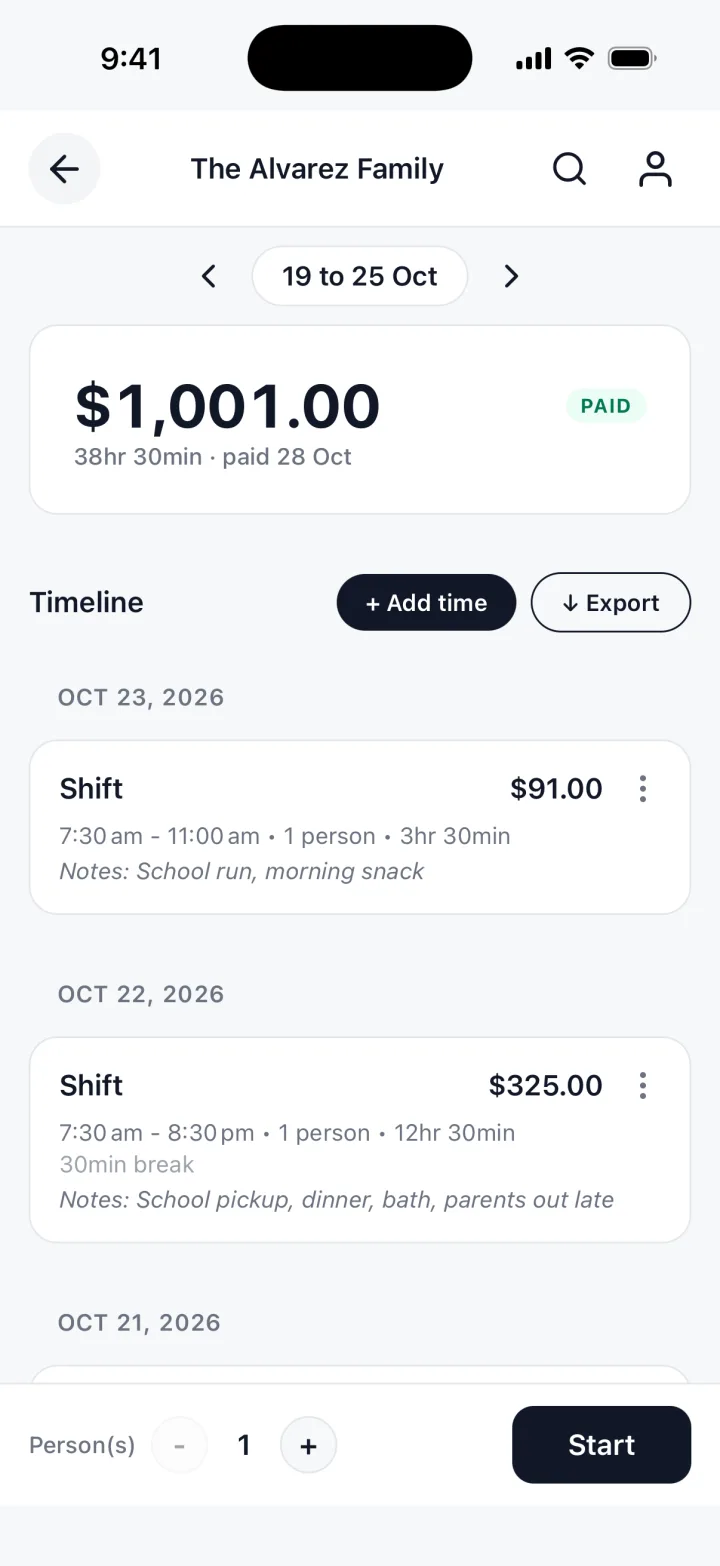
You just typed all of that by hand. TrackWork fills the invoice in from the hours you track.
Updated 29 Oct 2026
Getting paid for the hours you worked
Four things that keep pay day from turning into a conversation.
The family is the client
Put the parent who pays you in the client box, so the invoice reaches the right person.
Write down the break
Show start, finish and break. Hours worked are the hours after the break comes off.
One invoice per family
Two families, two invoices. Each has its own hours, rate and pay day.
Pay for the week you worked
Most nannies are paid weekly or every two weeks. Name the dates each invoice covers.
What belongs on a nanny invoice
Six things, and the family can pay without asking you anything.
- Your name and how to reach you
- The family name, and who pays
- The dates the invoice covers
- Each day: start, finish, break and hours worked
- The total
- How they should pay you
Plain words and plain numbers. A copy you can both read settles most questions early.
| Description | Hours | Rate | Amount |
|---|---|---|---|
| Childcare, Mon 26 Oct, 8:00 to 17:30, 30 minute break | 9 | rate | total |
| Childcare, Tue 27 Oct, 8:00 to 17:00, 1 hour break | 8 | rate | total |
Details that matter to a family
Small choices that make the invoice easy to read at the kitchen table.
One line a day
Give each day its own line, so a missing day is easy to spot.
Late finishes
If you stayed late, put the real finish time on that line.
Notes the family needs
Use the note for the dates covered, or a day off coming up.
A copy for the family
Send the PDF or print it for the family, and keep your own copy.
Your rate is yours
The form never fills in a rate. Type the one you agreed, and the total follows.
If a day was missed
Add it as its own dated line, so the correction is visible.
When to send it
Follow the way the family pays you. Decide once and keep to it.
Paid weekly
Send on the last day of the week or the morning of pay day. One week, one invoice.
Paid every two weeks
One invoice for both weeks, a line per day, with both dates at the top.
Say how many days the family has to pay. Zero means due when they receive it.
Questions nannies ask
Short answers about the generator itself.
Is my invoice stored anywhere?
No. It is built in your browser and nothing is uploaded. Close the tab and it is gone.
Can I send the PDF by email?
Yes. Choose Download PDF, pick Save as PDF in the print window, and attach the file.
Can I put two families on one invoice?
You can, but one per family is clearer: each sees its own hours, and you see who paid.
Does it work out my pay for the week?
It multiplies hours by rate and adds the lines. Work out any other rate yourself.
The free template, and the app
The generator is free. It has no account, and it forgets everything when you close the tab, so save the PDF.
TrackWork keeps the record: log your hours as you work, and the invoice is made from them.
Keep this invoice, under the form, moves the hours you entered into the app.
Your first 10 sessions are free. See pricing.